Environment
Isolated subnet on VirtualBox, one Domain Controller, a handful of joined Windows endpoints. Everything is intentionally simple so misconfigurations and attack paths are easy to see in later chapters.
Build Walkthrough
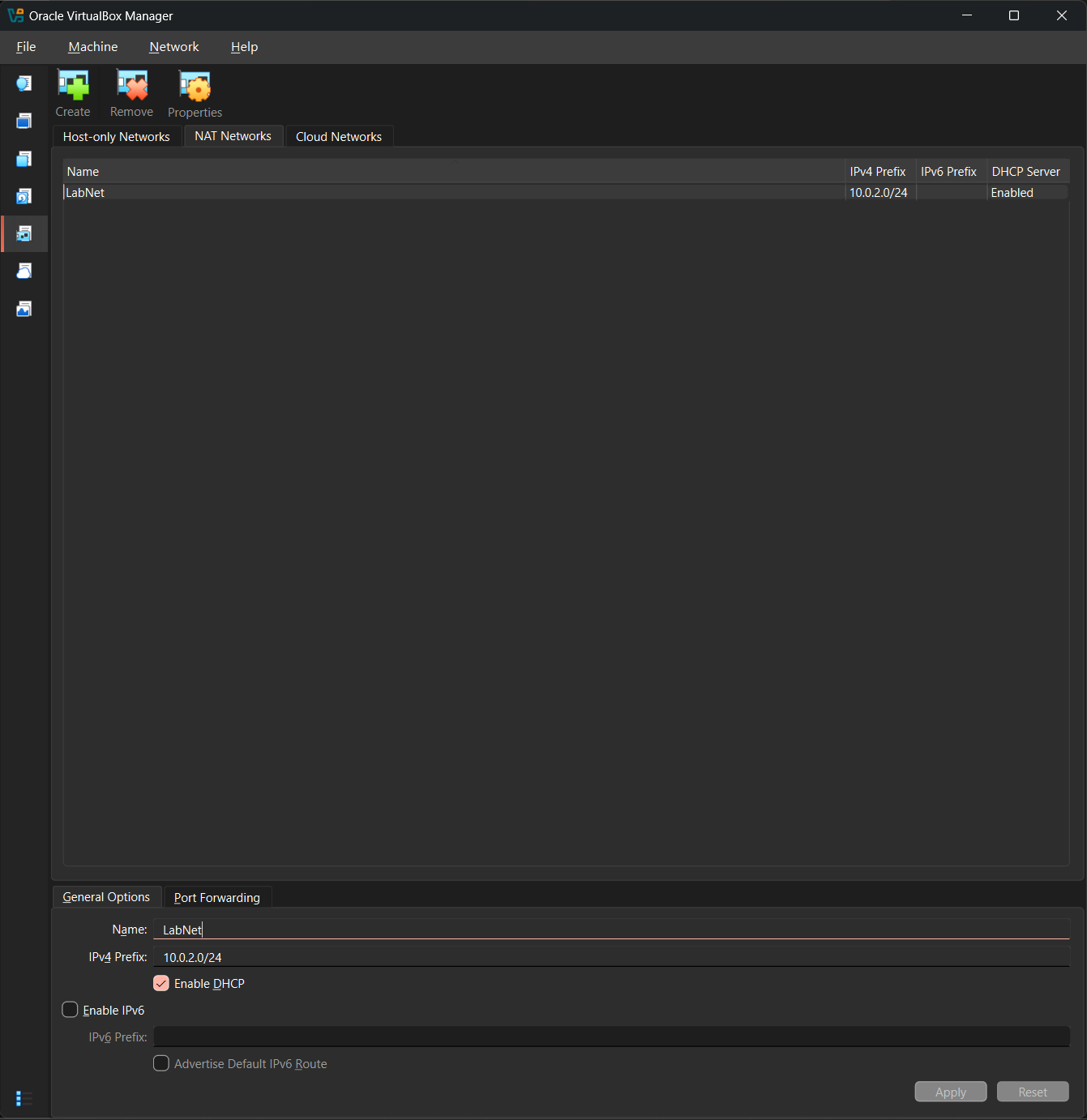
Create the LabNet virtual network
In VirtualBox, created an isolated NAT network called LabNet on the 10.0.2.0/24 subnet. This will be the private wire that DC01 and all client VMs share.
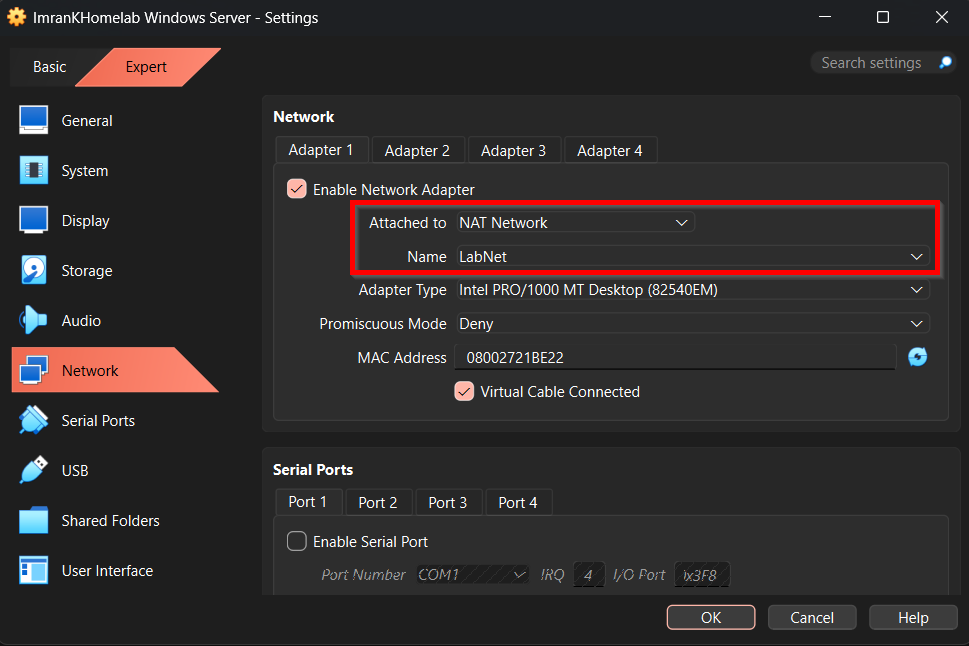
Attach the Windows Server VM to LabNet
On VM that will soon be our DC, changed Adapter 1 from the default NAT to the new LabNet NAT network. This puts the server on the private lab subnet where it can serve as DHCP/DNS for everything else.
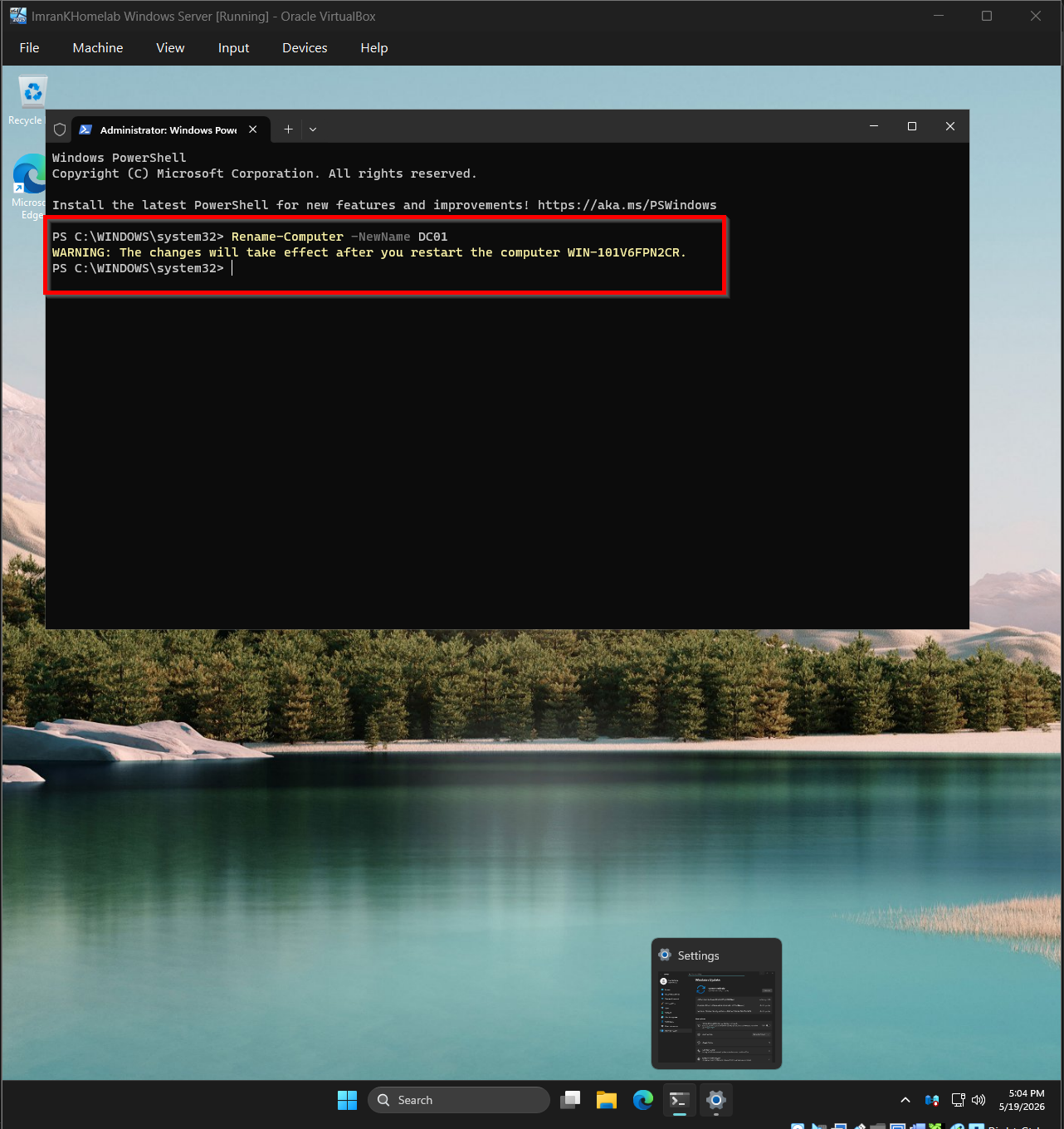
Rename the server to DC01
Inside Windows Server, used Rename-Computer -NewName DC01 to give the box a meaningful name before promotion.
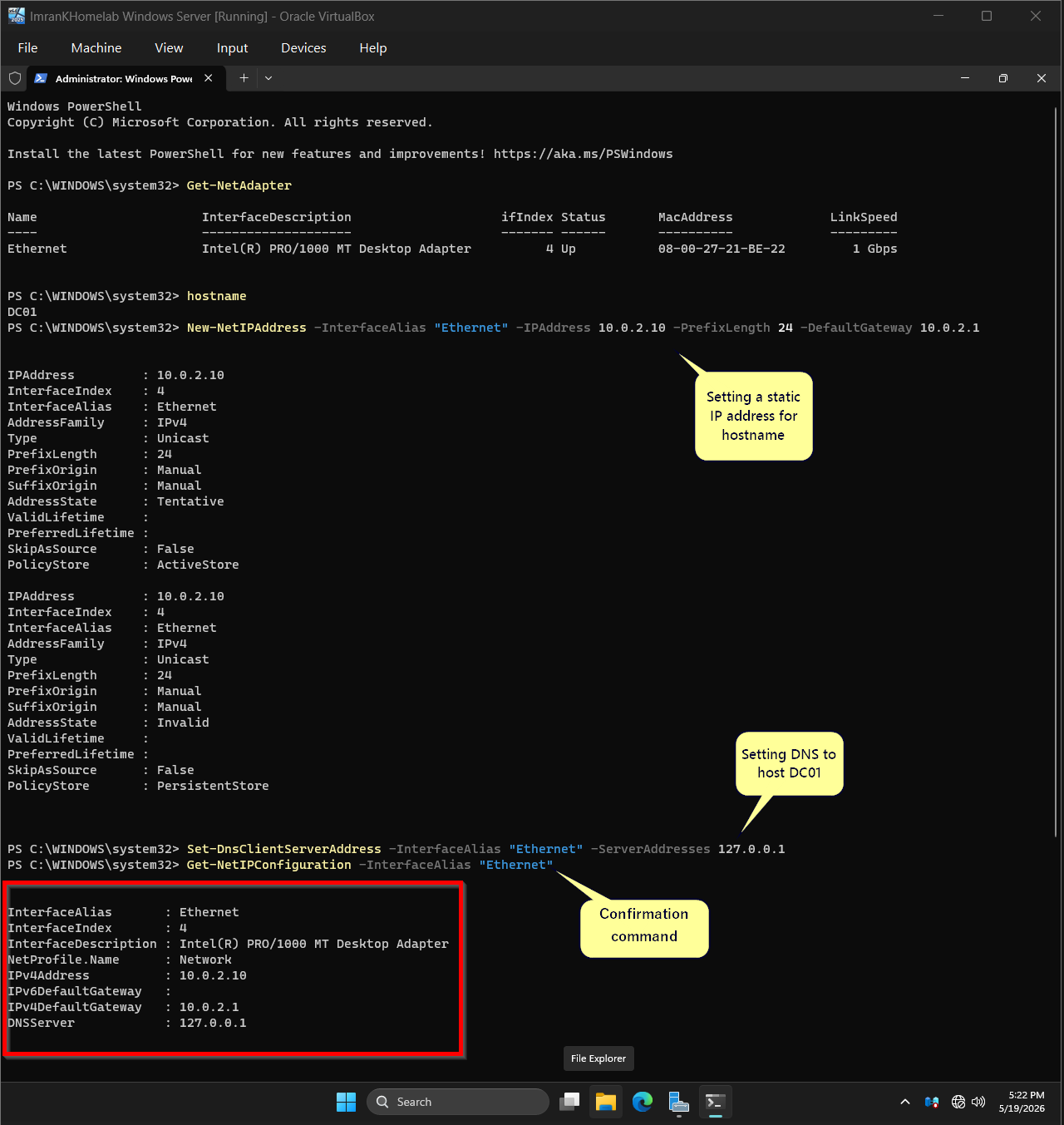
Assign DC01 a static IP and self-pointing DNS
Set a static IPv4 address of 10.0.2.10 with gateway 10.0.2.1, then pointed the DNS client at 127.0.0.1 so the DC resolves itself once promoted. A domain controller without stable IP + DNS will not behave as expected.
Install the AD-Domain-Services and DNS roles
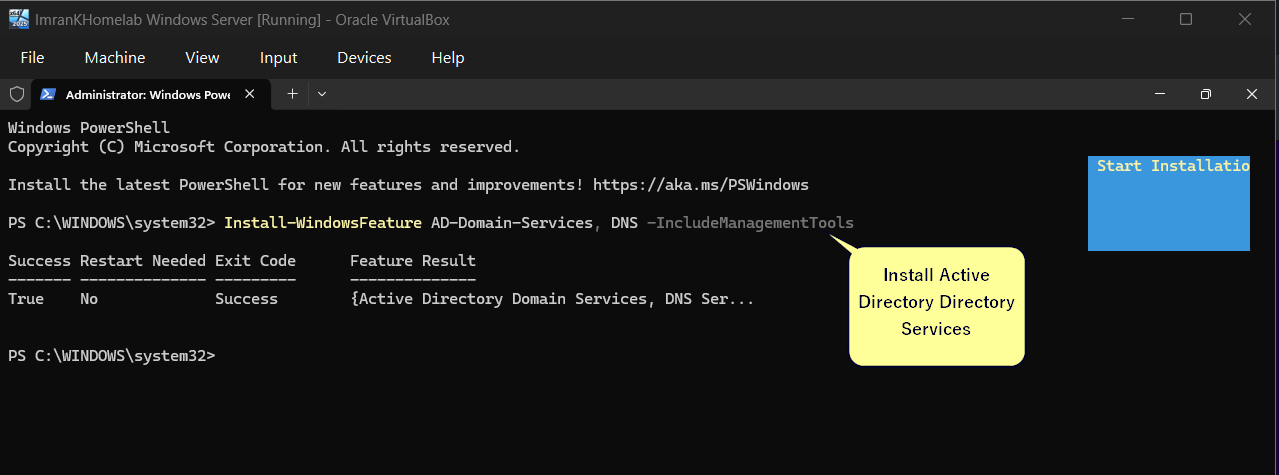
Install-WindowsFeature AD-Domain-Services, DNS -IncludeManagementTools stages the tools needed to utilize ADDS and DNS services. This only installs; the next step promotes the server.
Promote DC01 to the first domain controller
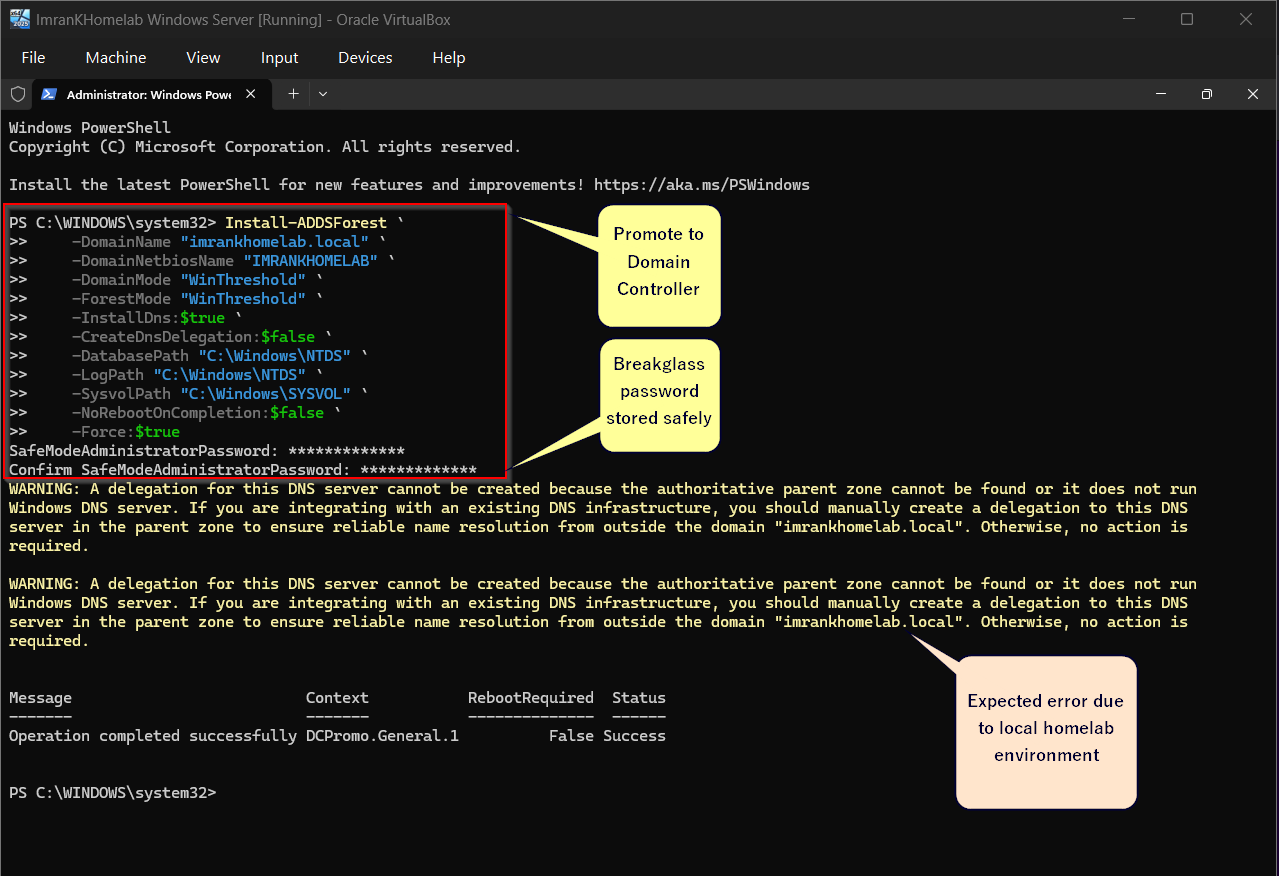
Install-ADDSForest creates the brand-new forest imrankhomelab.local with NetBIOS IMRANKHOMELAB. Set a Safe Mode Administrator (breakglass) password stored separately from any user account. The DNS delegation warning is expected in a self-contained lab.
Confirm the forest, NetBIOS name, and core services
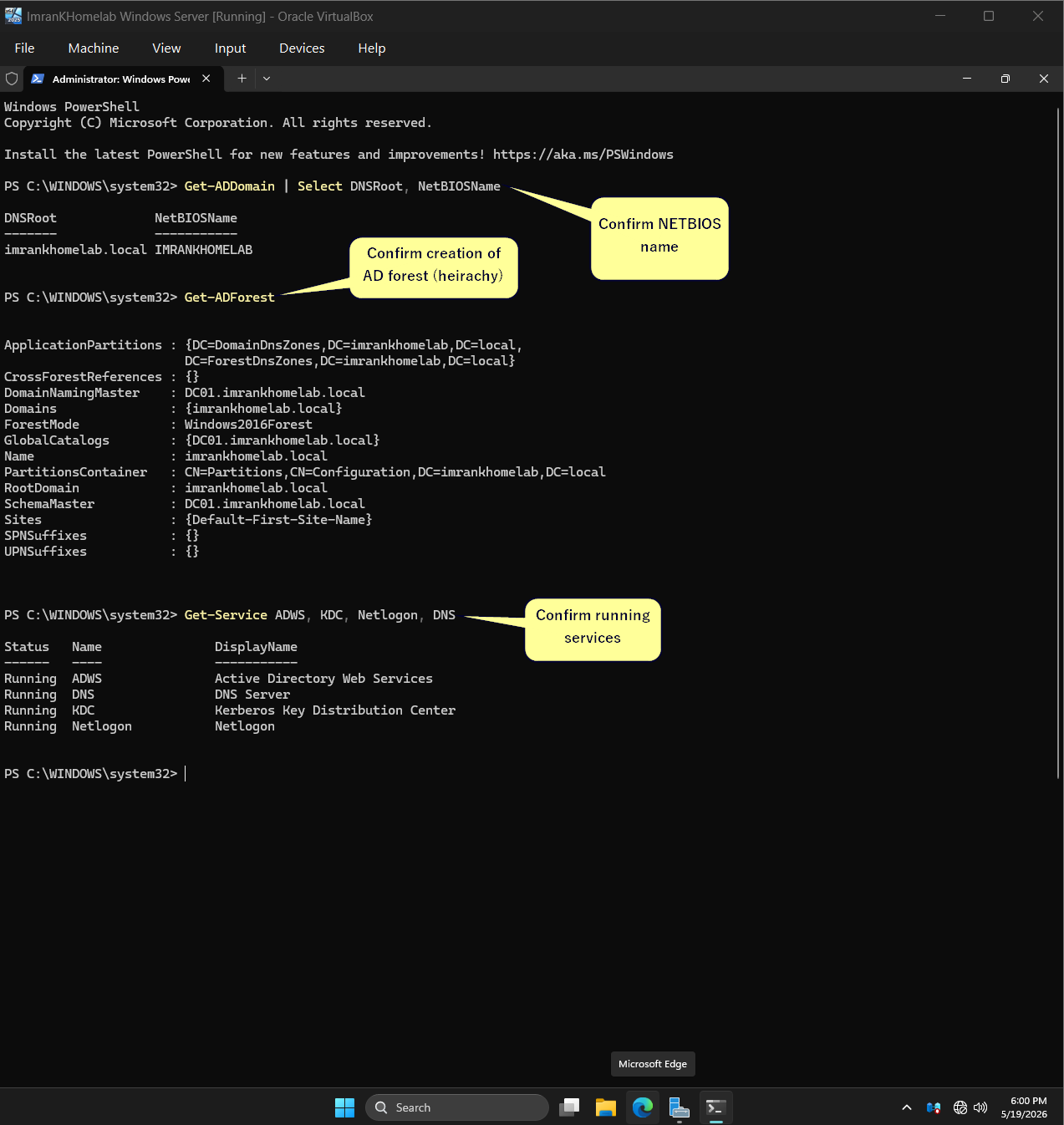
After reboot, verified the forest is live: Get-ADDomain returns the correct DNSRoot and NetBIOS name, Get-ADForest shows the schema and the four core services — ADWS, DNS, KDC, Netlogon are all running.
Create the first Organizational Unit
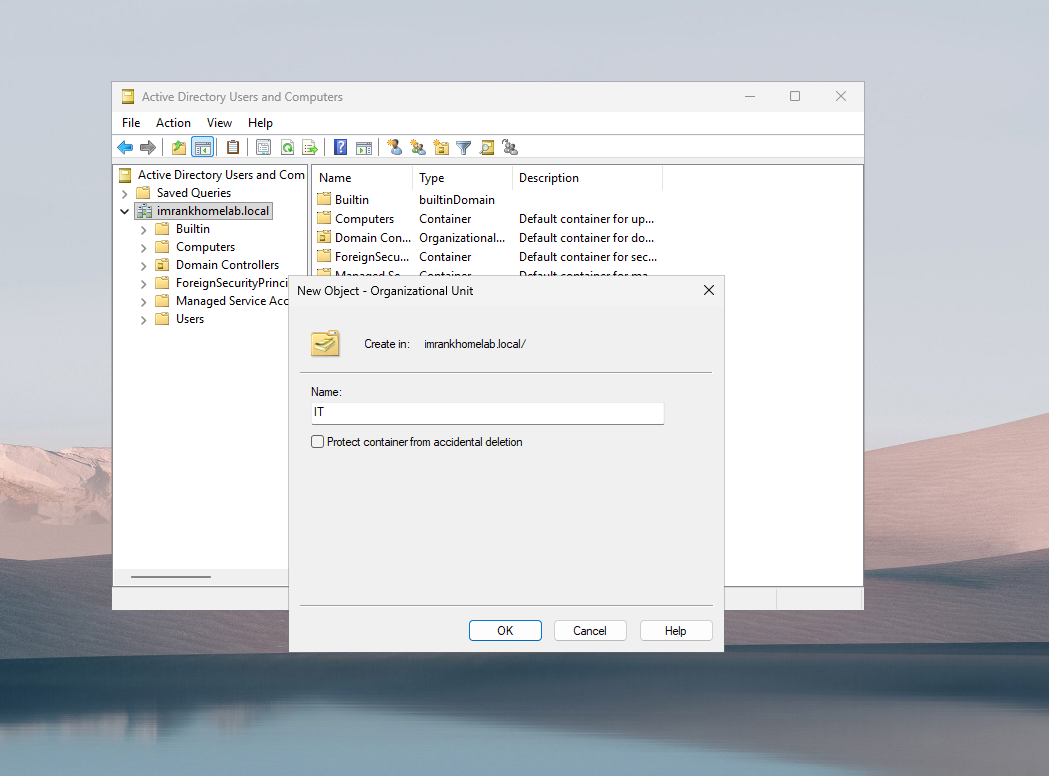
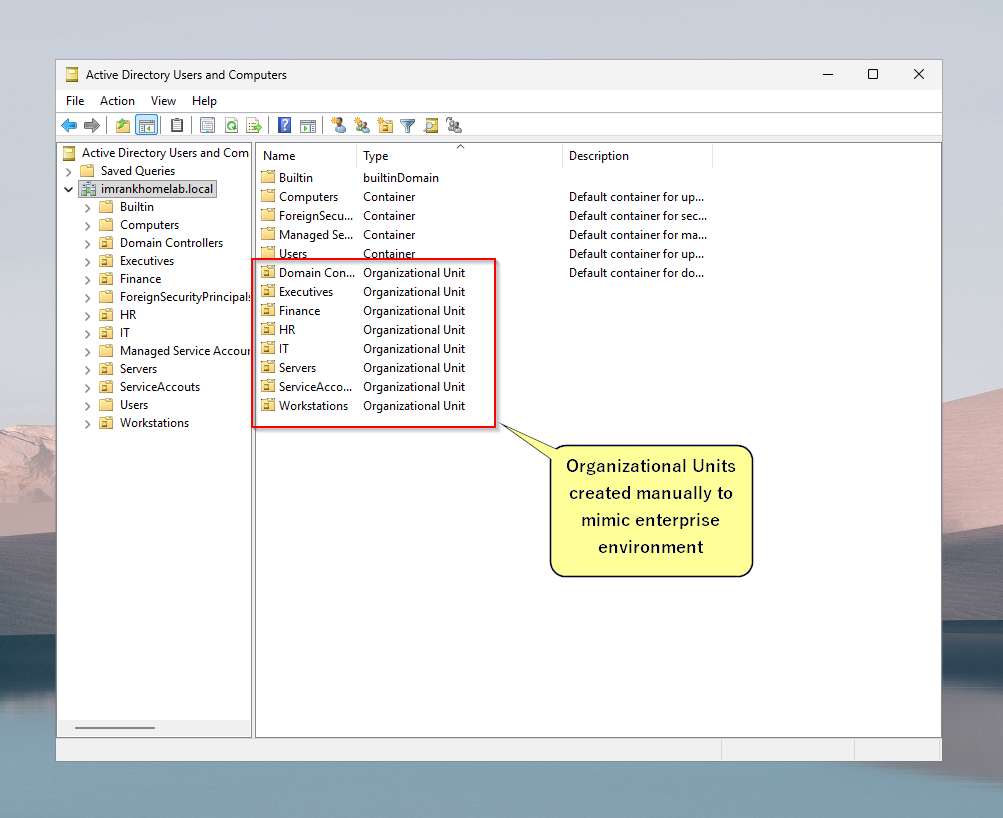
Opened Active Directory Users and Computers and started building OUs to mimic an enterprise structure. First one: IT, directly under imrankhomelab.local. Intentionally left "Protect container from accidental deletion" unchecked so the lab is easy to tear down later.
Build out a realistic OU hierarchy
Created the full set of department OUs to mirror a small enterprise: Executives, Finance, HR, IT, Servers, ServiceAccounts, Users, and Workstations. Real environments have this kind of separation; the lab now does too, which means later GPO scoping and delegation exercises will be meaningful.
Create security groups inside each OU
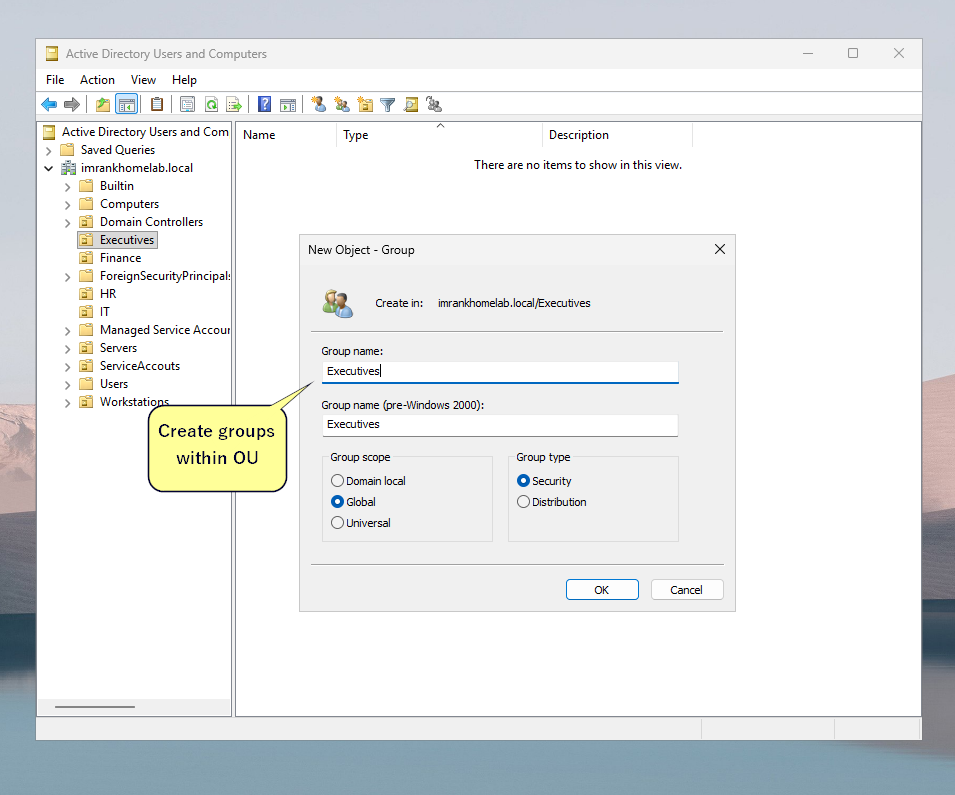
Inside Executives, created a Global Security group called Executives. Repeated this pattern across the other OUs so that permissions can be assigned to groups rather than individual users.
Seed user accounts across departments
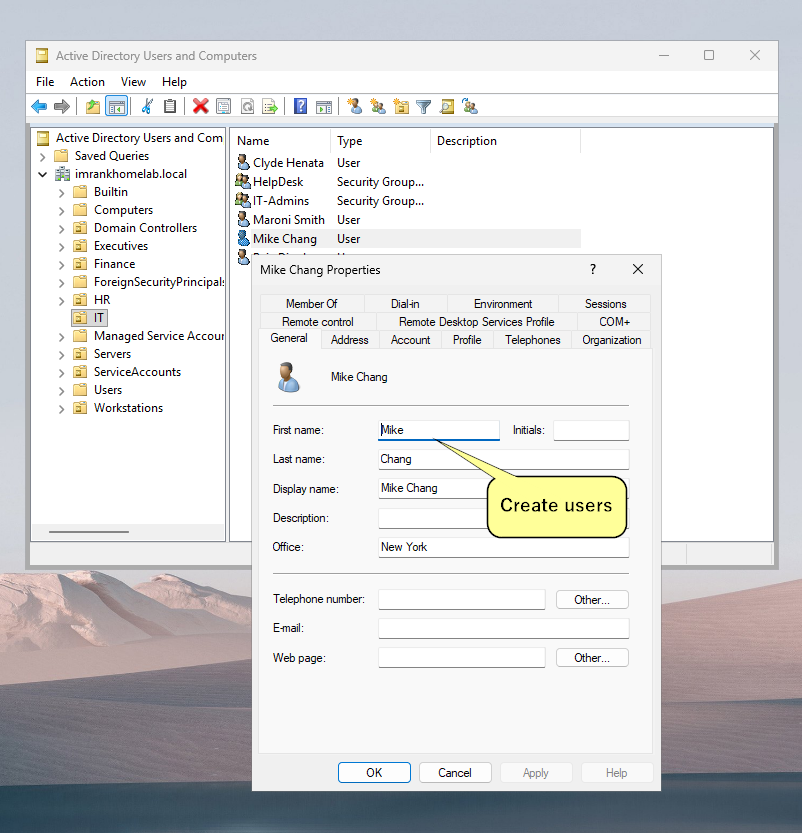
Created realistic user accounts for each department - names, displays, office (New York), and dropped them into the correct OUs. Examples: Clyde Henata in IT, plus the rest of the users.
Assign group memberships - including some that shouldn't exist
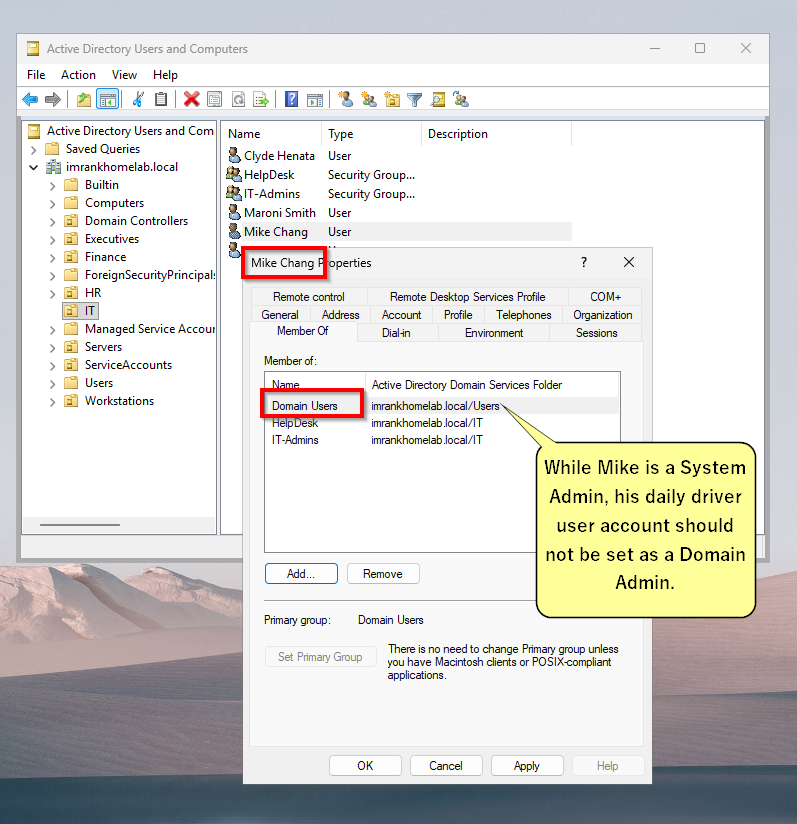
Added users to group memberships. Some assignments are intentional malpractice such as regular users assigned as Domain Admins, mimicking the flat-privilege environments that attackers love. This is the weak posture later chapters will demonstrate breaking, then harden.
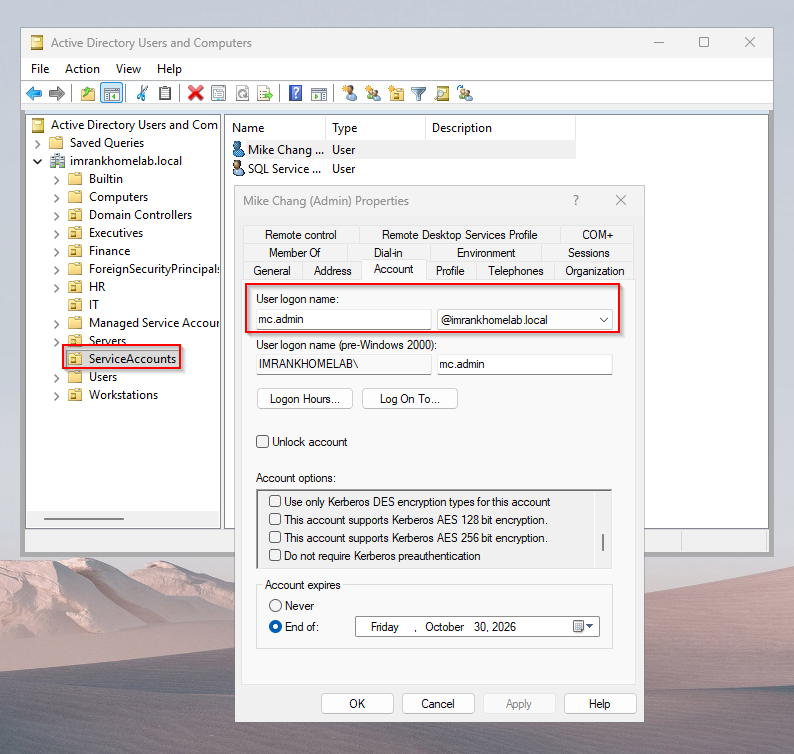
Create a service account
Created a service account for Mike Chang's account which is also a Domain Admin. Note the SQL service account which we will compromise in future chapters
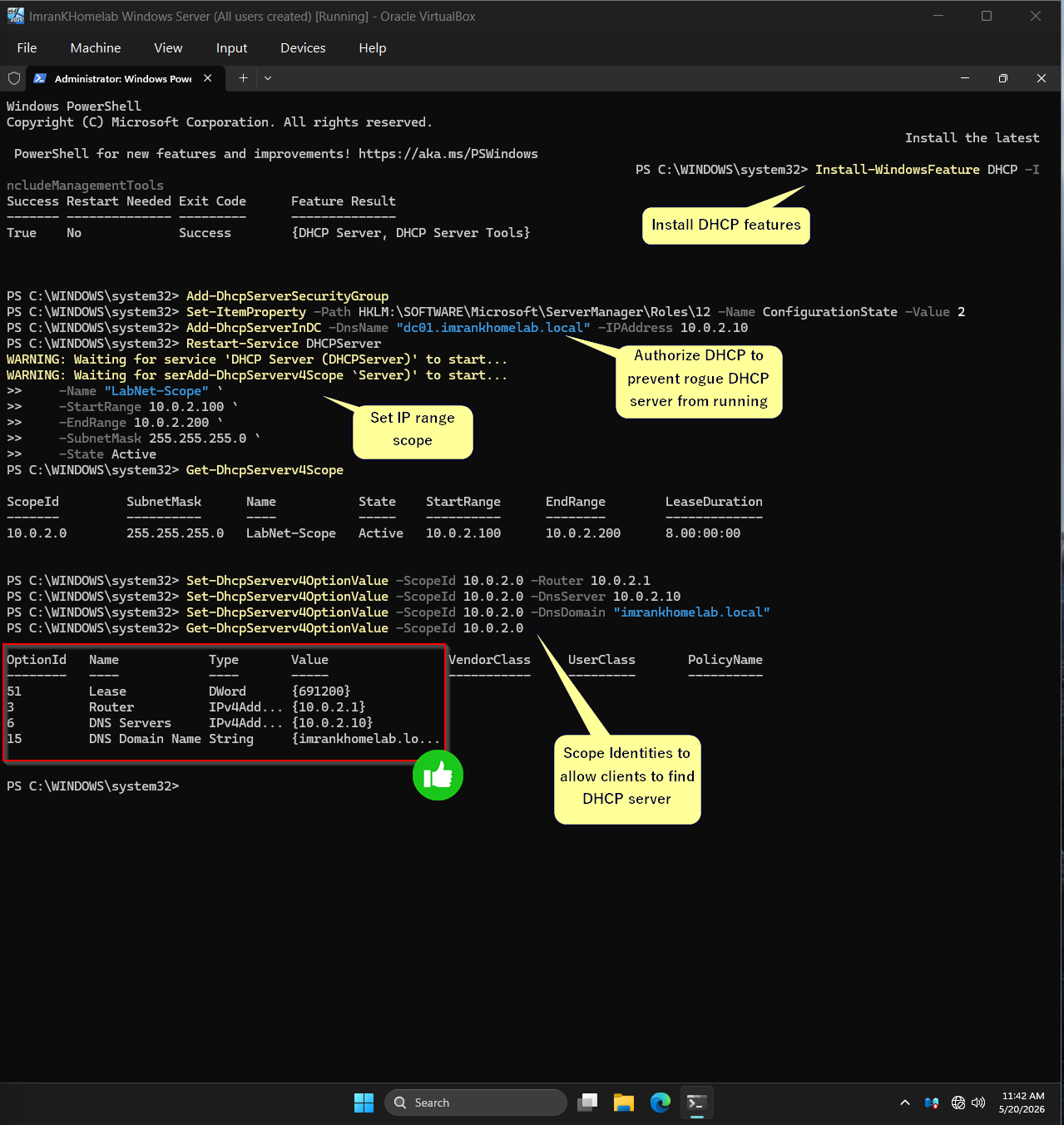
Stand up DHCP on the DC for client auto-config
Turned off DHCP server in hypervisor LabNet settings from step 1. Installed the DHCP role, authorized it in AD to prevent rogue DHCP servers, then created a scope LabNet-Scope covering 10.0.2.100 → 10.0.2.200.
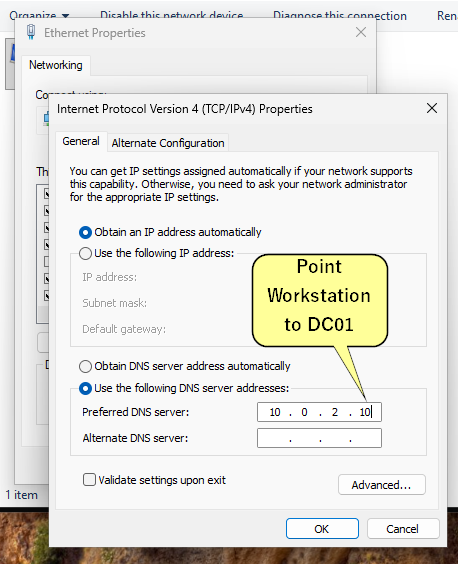
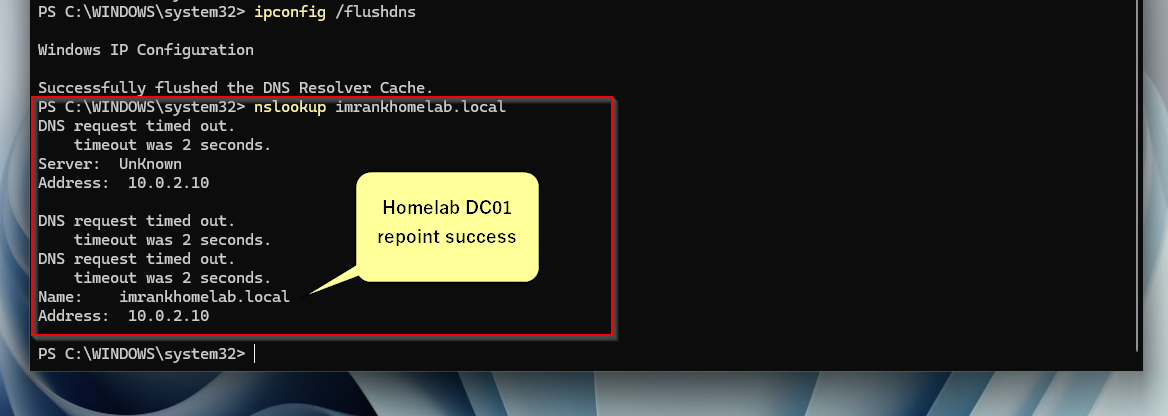
Workstation prepped to join the domain
On a fresh client VM, after the client picked up DHCP, repointed DNS at 10.0.2.10, flushed the cache, and ran nslookup imrankhomelab.local — resolution succeeded against DC01. With DNS healthy, opened System Properties → begin the domain join.
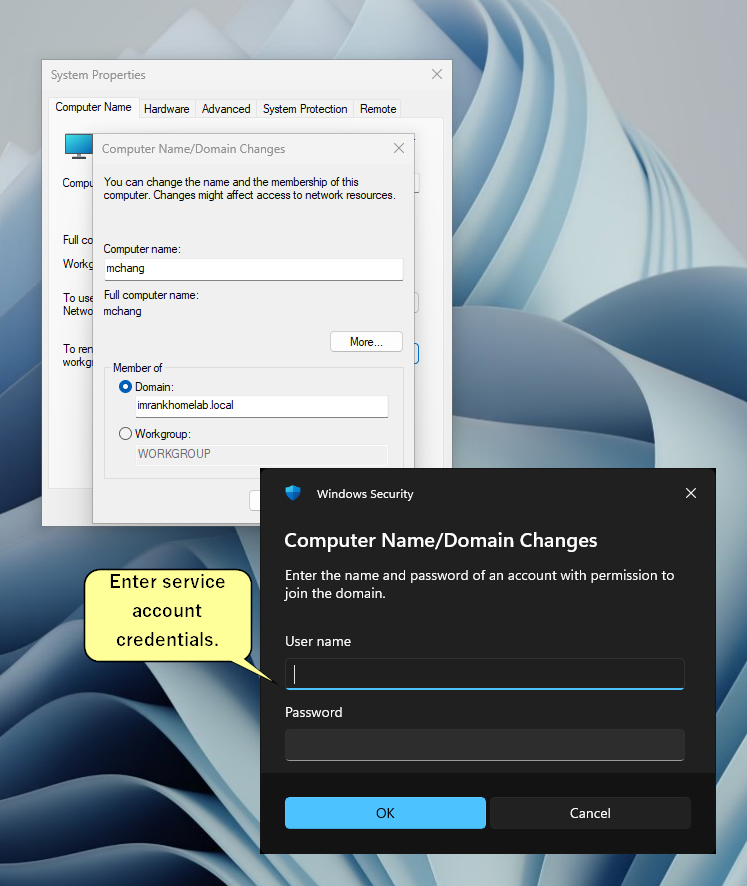
First client successfully joins the domain
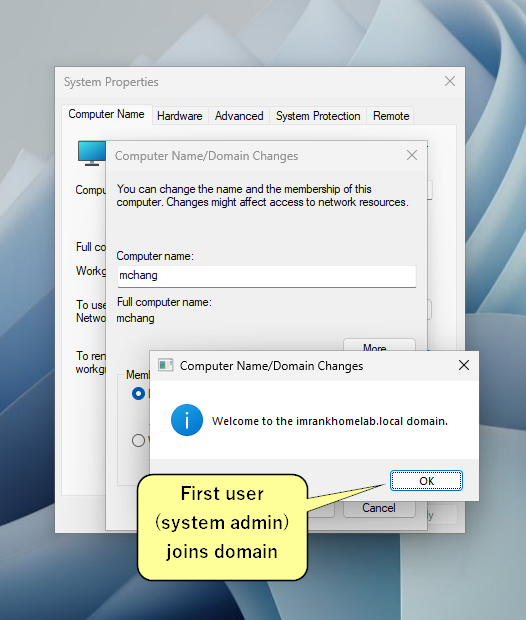
The client machine (mchang's workstation) receives the "Welcome to the imrankhomelab.local domain" confirmation. That's the moment the lab becomes a real, functioning domain — there's now a relationship between this endpoint and the DC, and the user's domain credentials will work here after reboot.
Log in as a domain user
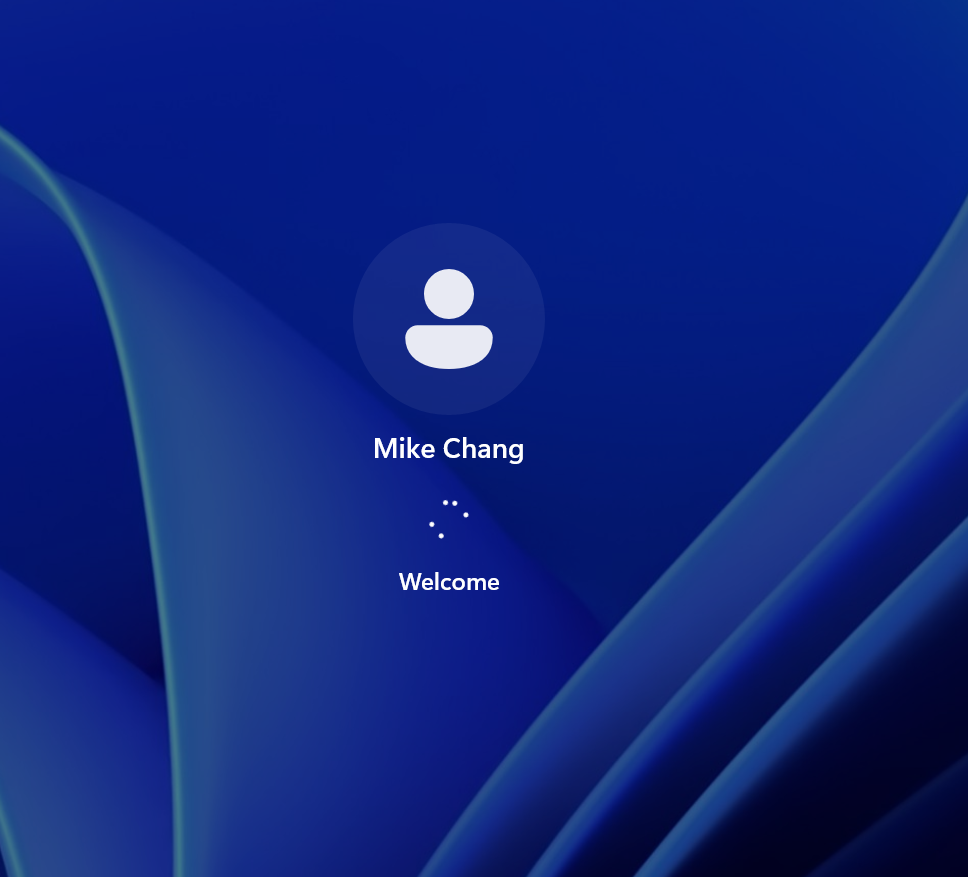
After reboot, logged into the workstation using domain credentials (IMRANKHOMELAB\mchang). The Windows 11 welcome screen authenticating against the DC confirms end-to-end success: DC promoted, DHCP serving, DNS resolving, client joined, domain credential validated.
Findings
Observations from the build phase — the conditions later chapters will exploit and then remediate.
- Flat admin modelRegular users sit inside Domain Admins. No Tier-0 separation. A single endpoint compromise can lead straight to forest takeover.
- Service account in step 13 ready to be KerberoastedThe ServiceAccounts OU will hold an SPN-bound account (
svc_sqlserver) with a weak password. - No password policy hardeningDefault domain password policy only. Complexity is on by default but minimum length is 7 and no fine-grained policies are applied yet.
- Audit policy is defaultEvent logs or any ingestion for that matter has not been set up yet which results in severe blindspots